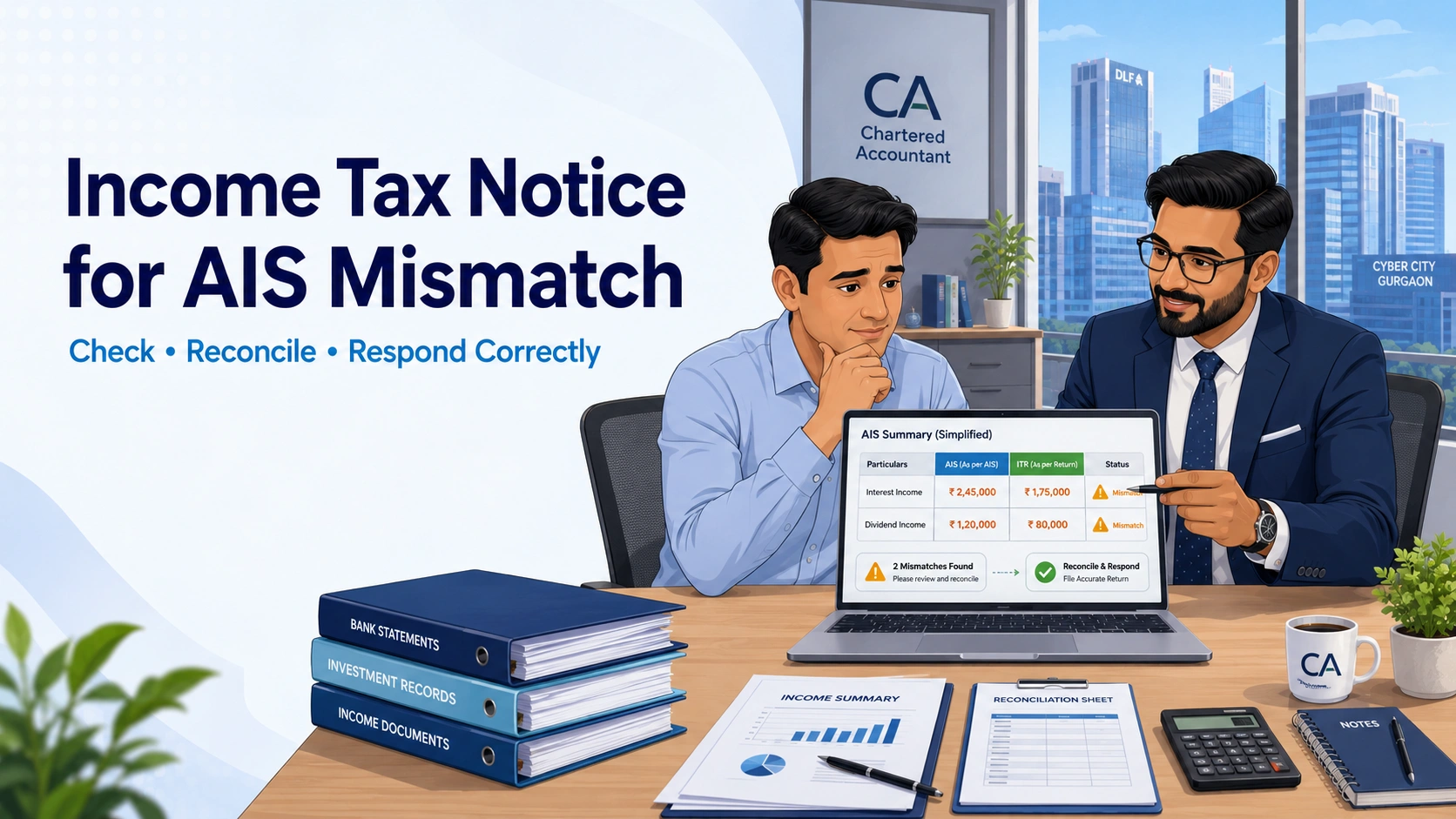
Receiving an email, SMS or portal alert about a difference between your Annual Information Statement (AIS) and Income Tax Return (ITR) can be worrying. However, an AIS mismatch does not automatically mean that you concealed income or that a tax demand has been raised.
Before responding, first identify what you actually received. It may be an informational e-campaign message, an e-verification communication, a proposed adjustment, a defective-return notice or another formal proceeding. The correct response and deadline depend on the document not merely on the words “AIS mismatch.”
The safest approach is to download the relevant records, reconcile the disputed transaction with supporting documents, determine whether the AIS or ITR is incorrect, and then respond through the correct portal route.
Quick answer: Before responding to an income tax notice for AIS mismatch, check the communication’s section, Document Identification Number (DIN), financial year and deadline. Compare the flagged entry with AIS, TIS, Form 26AS, your filed ITR and source documents. Then decide whether you need AIS feedback, correction by the reporting entity, an ITR-related remedy or a formal notice response.
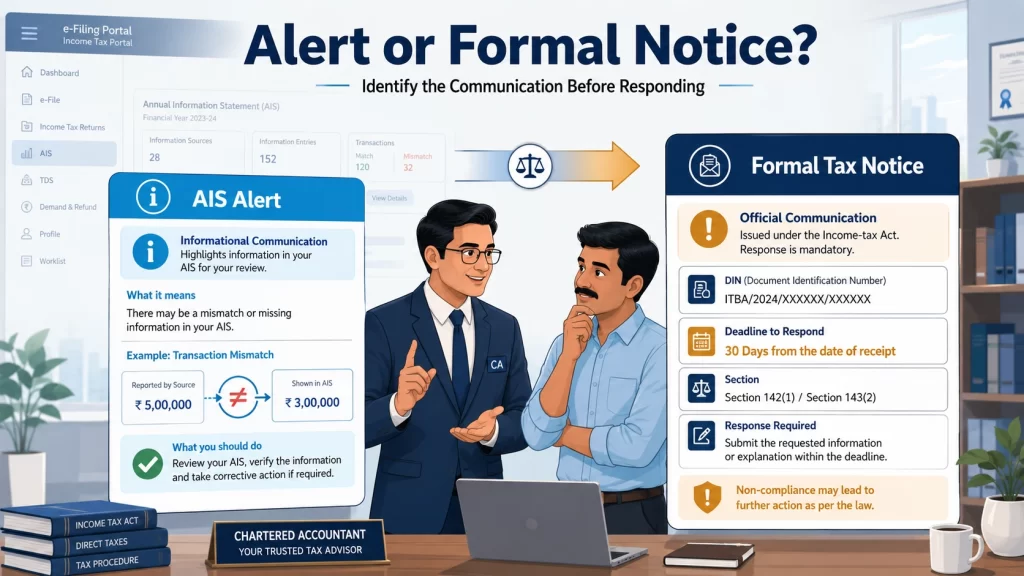
First Check: Is It an AIS Alert or a Formal Income Tax Notice?
People often describe every Income Tax Department email as a “notice,” but different communications have different consequences. An AIS entry or feedback issue is not, by itself, a statutory tax notice.
What You Received
What It Generally Means
What You Should Do
Incorrect or Duplicate AIS Entry
Information reported against your PAN may be inaccurate.
Verify the transaction and submit appropriate AIS feedback.
E-Campaign or E-Verification Communication
The Department is seeking voluntary clarification or verification
based on available information.
Open the item through the Compliance Portal and answer the exact issue.
Defective-Return Notice
The return contains missing or inconsistent particulars.
Respond within the time stated in the notice.
Intimation or Proposed Adjustment
The return has been processed or a prima-facie adjustment is proposed.
Review the computation and agree or disagree through the stated facility.
Scrutiny or Reassessment Communication
A formal proceeding has begun or may be proposed.
Obtain professional review and respond through e-Proceedings by the deadline.
Log in directly at the official e-filing portal instead of clicking an unfamiliar SMS link. Record the DIN, section, year, issuing authority and deadline. Check whether the item appears under the Compliance Portal, e-Proceedings or another Pending Actions service.
AIS contains financial information received from employers, banks, deductors, brokers, registrars, property authorities and other reporting entities. An AIS mismatch occurs when this information does not align with the income, transaction value or tax credit reported in your ITR or reflected in your records.
The difference may mean income was omitted. But AIS can also contain a duplicate, incorrect amount, wrong-PAN information or a gross transaction value that is not equal to taxable income.
For example, AIS may display total share-sale value while the ITR correctly reports the resulting capital gain after cost and permitted adjustments. Do not treat gross sale value as additional taxable income merely to make the figures identical.
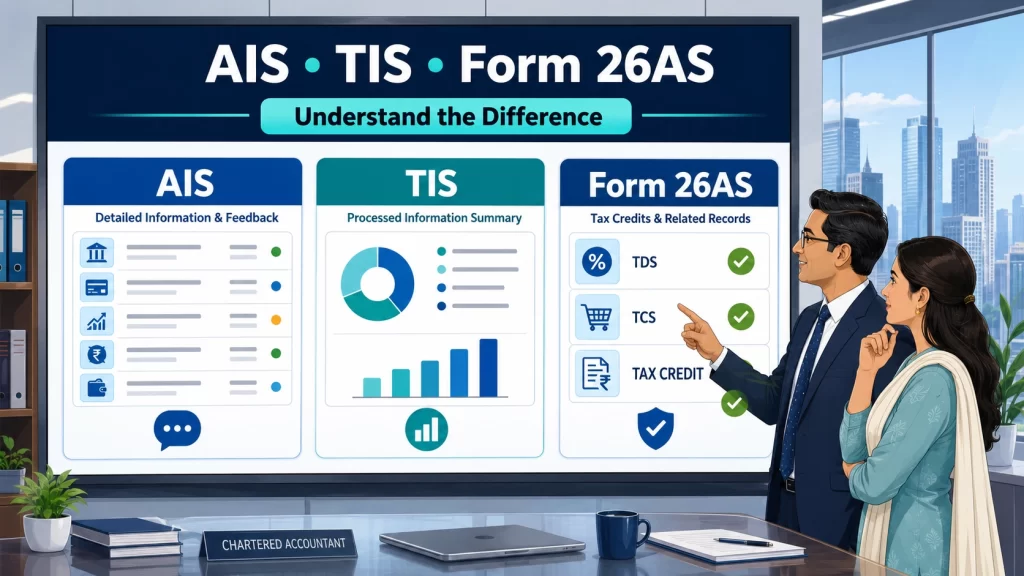
AIS vs TIS vs Form 26AS
Record
Main Purpose
What to Remember
AIS
Detailed information reported against your PAN, including TDS/TCS,
specified financial transactions and other information.
It allows taxpayer feedback and may display both reported and
modified values.
TIS
Category-level summary generated from information available in AIS.
It helps with return preparation and prefill but does not replace
source documents.
Form 26AS
Record used particularly for checking TDS, TCS, advance tax,
self-assessment tax and other specified tax information.
Use it to verify whether tax credit claimed in the ITR is available
in departmental records.
The official AIS FAQs confirm that taxpayers can provide feedback and that AIS can show a modified value after feedback or source confirmation. Taxpayers still remain responsible for complete and accurate reporting.
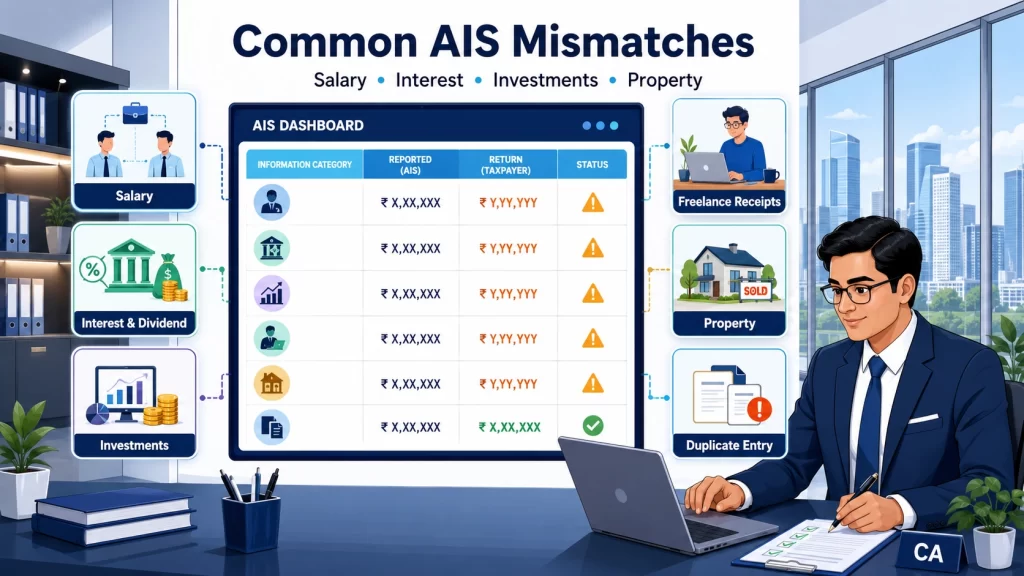
Common Reasons for an AIS Mismatch in an Income Tax Return
The correct solution depends on the transaction behind the difference.
AIS Item
Why a Mismatch May Occur
Documents to Check
Salary
Two employers, revised Form 16, arrears or incorrect employer reporting.
Form 16, salary slips and bank credits.
Bank or Post-Office Interest
Interest was missed because no TDS was deducted, or multiple accounts were not considered.
Interest certificates and bank statements.
Dividend Income
A small or late credit was omitted or reported in a different period.
Demat statement, bank statement and dividend advice.
Shares or Mutual Funds
AIS shows gross sale proceeds while the ITR shows capital gain or loss.
Broker tax report, contract notes, demat statement and cost records.
Business or Professional Receipts
AIS/TDS data shows gross receipts while the return taxes net profit.
Books, invoices, ledger, Form 16A, GST returns and client confirmation.
Property Transaction
Co-ownership, wrong reporting year, consideration difference or incorrect PAN tagging.
Sale deed, purchase deed, registry documents and ownership details.
Duplicate or Unrelated Entry
The reporting entity submitted the same item twice or used the wrong PAN.
Source statement, ownership proof and reporting-entity correspondence.
Foreign Transaction
Residential status, foreign income or asset disclosure requires separate analysis.
Foreign bank, investment, remittance and residency records.
SFT reporting tells the Department that a specified transaction occurred; it does not by itself determine the final taxable amount.
Documents to Check Before Responding
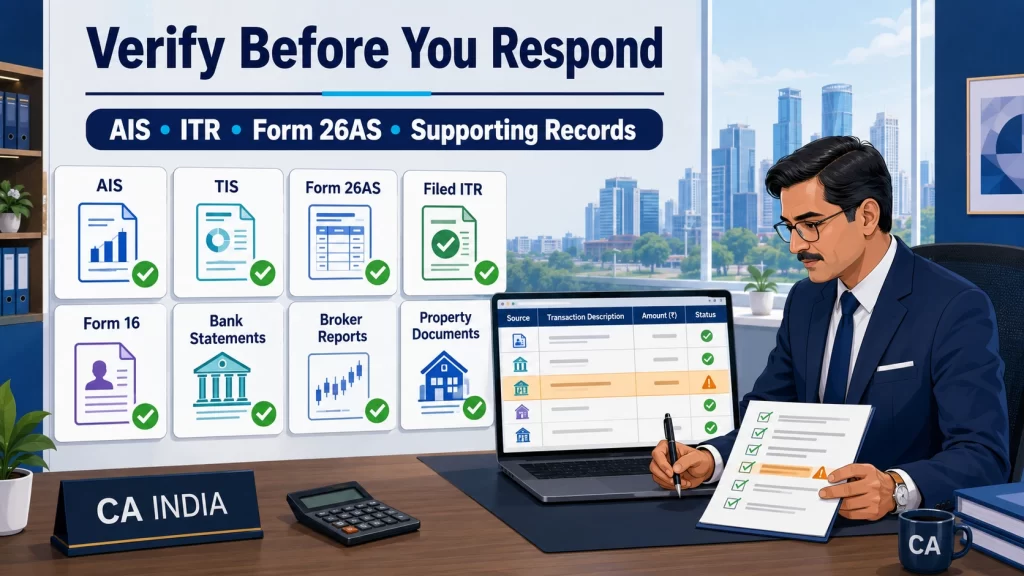
Do not respond based only on a figure quoted in an email. Prepare:
The full communication or notice, including DIN and deadline
Transaction-level AIS and its feedback status
TIS and Form 26AS for the relevant year
Filed ITR, tax computation, schedules and acknowledgement
Form 16, Form 16A, salary slips and interest certificates
Relevant bank statements
Broker capital-gains report, contract notes and demat statement
Property agreement, deed and co-ownership details, where applicable
Books, ledgers, invoices, GST data and client records for business receipts
Foreign income, asset or remittance records, where relevant
Proof of correction requested from any reporting entity
Create columns for AIS reported value, verified gross value, taxable value, ITR value and schedule, reason for difference, and evidence. This keeps the response internally consistent.
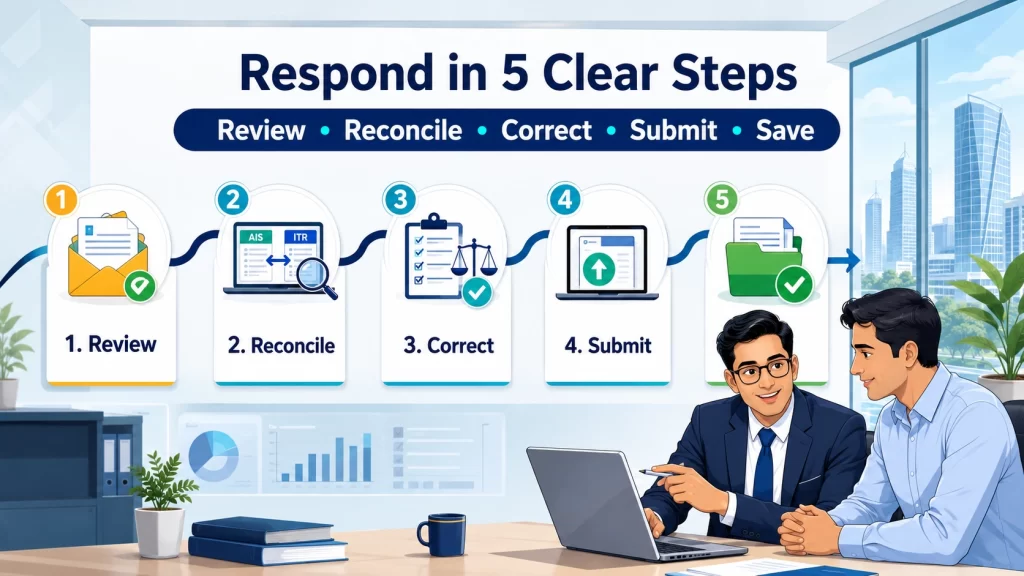
How to Respond to an Income Tax Notice for AIS Mismatch
Step 1: Open the Communication on the Official Portal
Log in to the official portal and locate the item under Pending Actions. E-campaign response, AIS feedback and e-Proceedings are different actions; confirm the route from the communication.
Step 2: Reconcile Every Flagged Transaction
Match every disputed entry with original records. Check its source, date, amount, ownership, taxability and ITR schedule. Show how the AIS figure connects—or does not connect—to taxable income.
Step 3: Decide Which Information Is Incorrect
The facts will normally fall into one of these categories:
AIS is wrong, and the ITR is supported: Submit accurate AIS feedback and request correction from the reporting entity where possible.
AIS is correct, but income was omitted or misclassified in the ITR: Recompute the tax position and examine the return-correction option legally available for that year.
AIS shows a gross amount, while the ITR correctly shows taxable income: Prepare a gross-to-net reconciliation supported by broker reports, accounts or other records.
The issue concerns TDS or tax credit: Compare Form 26AS, the ITR and challan details. The deductor may need to correct its TDS statement.
The transaction belongs to another person, PAN or year: Give accurate feedback and retain ownership or period evidence.
Step 4: Choose the Correct Corrective Route
AIS feedback is suitable for incorrect information within AIS. It does not replace a response to an e-campaign or statutory notice.
Depending on the facts, processing status and time limit, the next step may involve:
Submitting AIS feedback
Asking the employer, bank, client, broker or another reporting entity to revise its report
Answering an e-campaign or e-verification issue through the Compliance Portal
Evaluating a revised or updated return where legally permissible
Filing a rectification request for an eligible mistake apparent from the processed record
Responding to a formal notice through e-Proceedings
An updated return is not a universal solution; eligibility must be checked for the relevant year and facts.
Step 5: Submit the Response and Preserve Proof
Review every figure and attachment. Save the acknowledgement and response number, retain the complete submission, and monitor the portal and registered email.
What Not to Do When Handling an AIS Mismatch
Do not add the entire AIS transaction value to taxable income without analysing it.
Do not deny an accurate entry only because it increases tax liability.
Do not assume that submitting AIS feedback closes a separate notice.
Do not miss a formal deadline while waiting for a bank, broker or employer to correct its reporting.
Do not submit a vague response without documentary support.
Do not share your portal password or OTP with an adviser.
Do not assume that every mismatch automatically results in scrutiny, penalty or a tax demand.
An unresolved difference may lead to further verification. A formal notice must be handled according to its requirements; official defective-return guidance warns that failure to respond in time can result in the return being treated as invalid.
What Happens After Submitting AIS Feedback?
AIS may show the original reported value and a modified value reflecting feedback or source confirmation. Processing time varies; do not rely on an unofficial fixed timeline.
Save the acknowledgement, monitor its status and seek source correction where possible. Respond to any e-campaign or statutory notice separately by its deadline; AIS feedback does not close another proceeding.
When Should You Consult a Chartered Accountant?
Professional review is particularly useful when:
A formal notice or e-Proceeding has been issued
The mismatch involves a substantial amount or multiple years
AIS shows high share, mutual-fund, property or business transactions
Gross receipts need to be reconciled with taxable profit
Foreign income, assets, residency or remittances are involved
The return-correction deadline or available remedy is uncertain
The filed ITR, Form 26AS and books contain different figures
You need a structured explanation with indexed evidence
A Chartered Accountant can classify the communication, reconcile the records, recompute tax, choose the correct route and prepare a document-supported response.
If you need a CA for an income tax notice in Gurgaon, choose a professional who reviews the complete communication and underlying records not only the SMS screenshot.
Not necessarily. It may be an e-campaign or e-verification communication. Check its section, DIN, issuing authority and deadline; the document determines the response route.
Address an incorrect AIS entry through accurate feedback and, where possible, source correction. Do not revise a correctly filed return merely to match information your evidence shows is wrong.
AIS may show gross sale proceeds while the ITR reports the taxable gain or loss. Reconcile sale value, cost, permitted adjustments and broker records; gross proceeds are not automatically income.
Verify the source, PAN, year and ownership. Give appropriate feedback, retain evidence and seek reporting-entity correction. Separately answer any Department communication about the item.
No. A separate e-campaign, e-verification item or statutory notice must be answered through its stated facility and by its deadline.
Conclusion
An income tax notice for AIS mismatch should be handled with evidence, not guesswork. First identify whether the communication is an alert or formal notice. Then reconcile AIS, TIS, Form 26AS and the filed ITR with original records before choosing the correct response route.