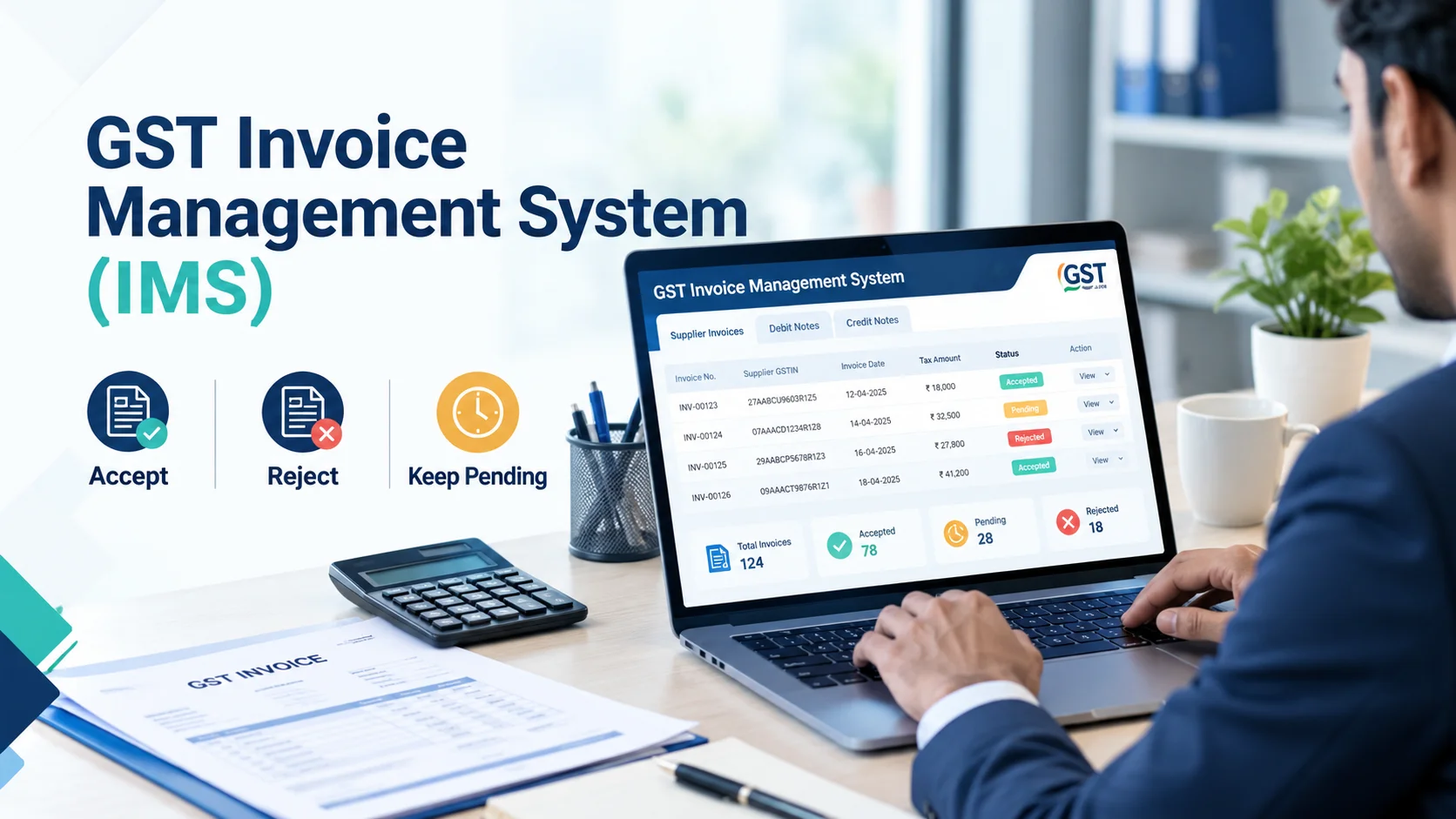
The GST Invoice Management System (IMS) is the most significant change to input tax credit (ITC) compliance since the introduction of GSTR-2B. If your business buys goods or services, this portal feature dictates exactly how much tax credit you can claim each month.
For years, businesses passively accepted whatever appeared in their GSTR-2B, leading to a massive rise in GST mismatch notices and blocked cash flow. IMS changes the game entirely. It puts the power—and the legal responsibility—back in your hands. You now have the explicit authority to review supplier invoices and Accept, Reject, or keep them Pending before they are permanently locked into your tax records.
This comprehensive guide breaks down the exact IMS process, the hidden traps of “deemed acceptance,” and how to use this system to protect your working capital.
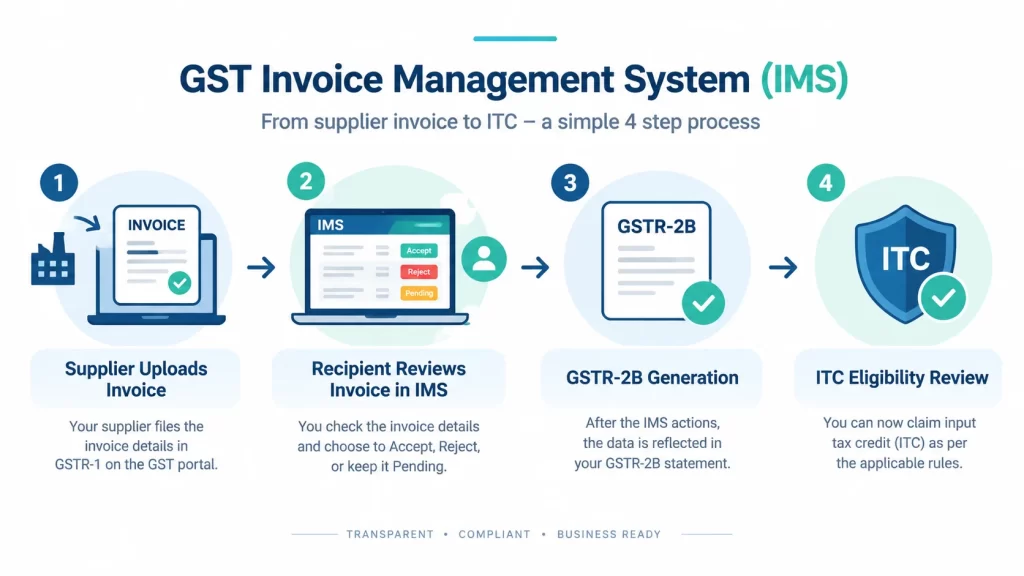
The Invoice Management System is a recipient-side facility on the GST portal that allows buyers to review the invoices, debit notes, and credit notes uploaded by their suppliers in GSTR-1.
Launched on 1 October 2024, IMS acts as a pre-emptive filter for GSTR-2B. Instead of GSTR-2B auto-populating with potentially erroneous data, the system now routes supplier records to your IMS dashboard first.
Why this matters:
A common point of confusion is how IMS relates to GSTR-2B. They are not competitors; they are two stages of the same process.
Think of IMS as the Action Layer and GSTR-2B as the Outcome Layer.
| Feature | Invoice Management System (IMS) | GSTR-2B |
|---|---|---|
| Who acts? | The Recipient (Buyer) | Auto-generated by the GST Portal |
| Timing | Before GSTR-2B generation (action window) | Generated after IMS actions are finalized |
| Purpose | To review, accept, reject, or hold invoices | Static ITC statement for the month |
| Action Possible | Yes (Accept, Reject, Pending) | No (Read-only) |
If you take no action in IMS, the system may treat the invoices as accepted and include them in GSTR-2B, subject to the applicable GSTN rules.
Navigating to IMS is straightforward, but you must have the correct portal credentials. Here is the process:
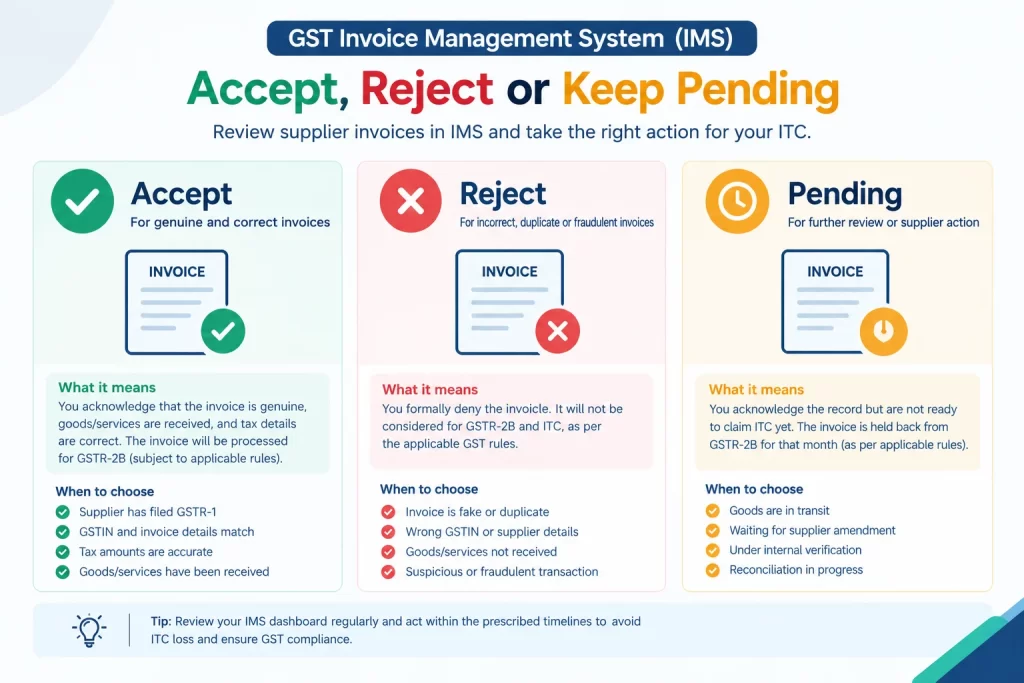
Action: You acknowledge the invoice is genuine, the goods/services were received, and the tax amounts are correct.
Consequence: The invoice flows into your GSTR-2B, subject to the applicable rules, and you can claim the ITC if all statutory conditions are satisfied.
Steps to Accept:
When to Accept: The supplier has filed GSTR-1, the GSTIN and invoice numbers match your purchase register, and the tax calculations are accurate.
Action: You formally deny the invoice.
Consequence: The invoice is treated as rejected for IMS purposes and does not contribute to your eligible ITC in the usual way. Check the current GSTN rules before taking action.
Steps to Reject:
When to Reject: The invoice is fake, duplicate, raised to the wrong GSTIN, or represents goods that were never delivered. Caution: Do not use “Reject” just because you are disputing a minor charge with the supplier. Review the invoice and the relevant GSTN rules before rejecting it.
Action: You acknowledge the record but are not ready to claim ITC yet.
Consequence: The invoice is held back from GSTR-2B for that month. Its treatment in subsequent periods depends on the applicable IMS rules and any later action taken.
Steps to Keep Pending:
When to Keep Pending: Goods are in transit, the supplier has promised to issue an amendment for a wrong GSTIN, or the invoice is currently under reconciliation by your accounts team.
| Your Situation | Recommended IMS Action | Potential Impact on ITC |
|---|---|---|
| Invoice is correct; goods received. | Accept | Invoice is processed for ITC consideration, subject to eligibility rules. |
| Wrong GSTIN or amount; awaiting supplier amendment. | Pending | ITC may be deferred until the issue is resolved. |
| Goods not received yet (in transit). | Pending | Review ITC eligibility and the applicable GST conditions. |
| Fake, duplicate, or fraud risk. | Reject | Helps prevent incorrect ITC from being claimed against the record. |
| Under internal accounting reconciliation. | Pending | Allows further review before a decision. |
If you fail to Accept, Reject, or mark an invoice as Pending, the system applies the treatment prescribed by the applicable IMS rules.
For the official guidance, refer to the GSTN revised advisory on IMS and the GSTN FAQs on IMS.
The portal may treat invoices for which no action is taken as accepted and include them in GSTR-2B, depending on the applicable rules and timing.
The Risk: If a supplier uploads an inflated invoice, or an invoice for goods you never received, failing to review it can create an ITC compliance risk. Claiming ineligible ITC may expose your business to tax demands, interest, or penalties under the applicable GST provisions.
You must actively monitor your IMS dashboard, or outsource this to a GST compliance expert to help manage invoice reconciliation and reduce compliance risks.
As a CA firm, we see businesses repeatedly make these mistakes when transitioning to IMS:
To protect your working capital and avoid notices, implement this monthly checklist:
Businesses use software such as ClearTax, TallyPrime, Zoho Books, BUSY, and Vyapar to help automate GST billing and reconciliation. The most suitable option depends on your business size, accounting workflow, and the software’s current GST and IMS capabilities. Check the provider’s latest documentation before choosing software.

Log in to gst.gov.in, go to Services > Returns > Invoice Management System (IMS), and select the relevant return period to view and act on records uploaded by your suppliers.
IMS is a GST portal facility for reviewing supplier-uploaded records. Businesses should monitor the dashboard and understand the consequences of taking no action. Refer to the latest GSTN IMS advisory for the current rules.
The IMS process involves the recipient reviewing supplier-uploaded invoices. You can generally select Accept, Reject, or Pending, subject to the options and rules applicable to the record. These actions affect how the invoice is processed for GSTR-2B and ITC purposes.
The ability to change an IMS action depends on the relevant stage of the return process and the current GSTN rules. If you accepted or rejected an invoice by mistake, check the latest official guidance and consult a GST professional before attempting a correction.
Rejecting an invoice in IMS primarily affects how the invoice is treated in the recipient’s IMS and ITC process. The supplier may need to review the invoice and correct or amend it where appropriate. The precise consequences depend on the circumstances and applicable GST rules.
Accept an invoice after verifying its details and confirming that it is appropriate to accept under the applicable rules. Keep it Pending when further review is needed, such as when you are waiting for goods, clarification, or a supplier amendment.
The GST Invoice Management System makes it important for businesses to review supplier invoices and maintain accurate ITC records. Blindly relying on GSTR-2B can create compliance risks, so businesses should monitor their IMS dashboard and follow the applicable rules and timelines.
By implementing a strict monthly IMS checklist and training your accounts team on the Accept/Reject/Pending options, you can reduce reconciliation errors, safeguard working capital, and maintain a stronger compliance record.
If you need help setting up IMS reconciliation or managing your monthly GST compliance, contact GVC Audit today.